
03 / 06
Type One
Conference website
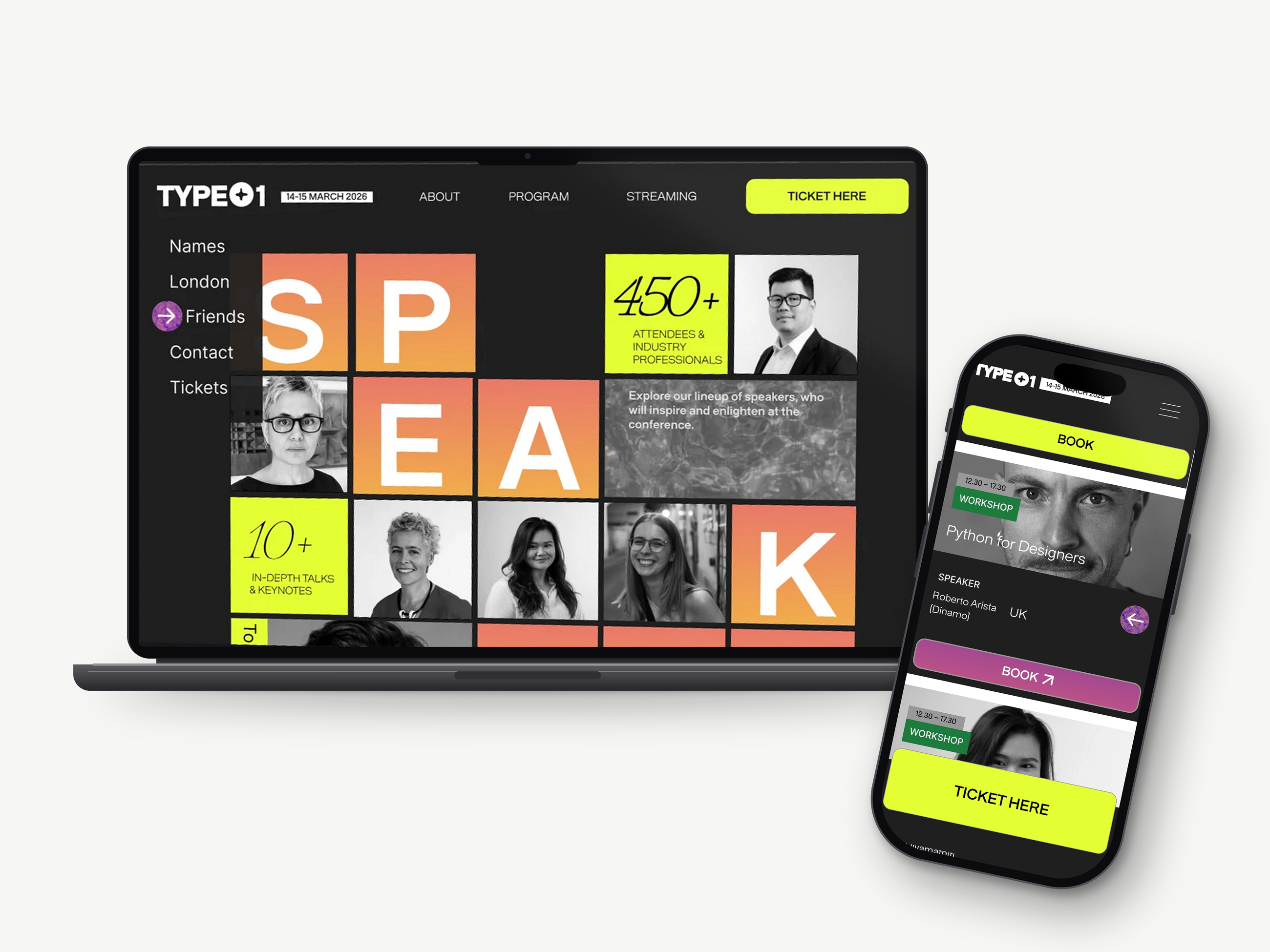
A bold, loud and dynamic website for TYPE01's first-ever conference, designed to make people take action.
TYPE01 isn't your typical design magazine: it's modern and unafraid to push the boundaries of typography and graphic design. The website had to carry that same energy. My keywords: motion, energy, dynamic, loud and strong gradients, which you can see straight away in the header.
Why bold works
TYPE01 is all about fresh takes on design, so a minimal, safe approach wouldn’t work. Instead I leaned into:
- Typography as the hero: the type itself becomes content, fitting for a typography conference.
- Dynamic grids that reflect the variety of the program: workshops, talks, exhibitions and networking.
- Expressive compositions that mirror the magazine’s editorial style.
One look tells you: this conference is different.
The process
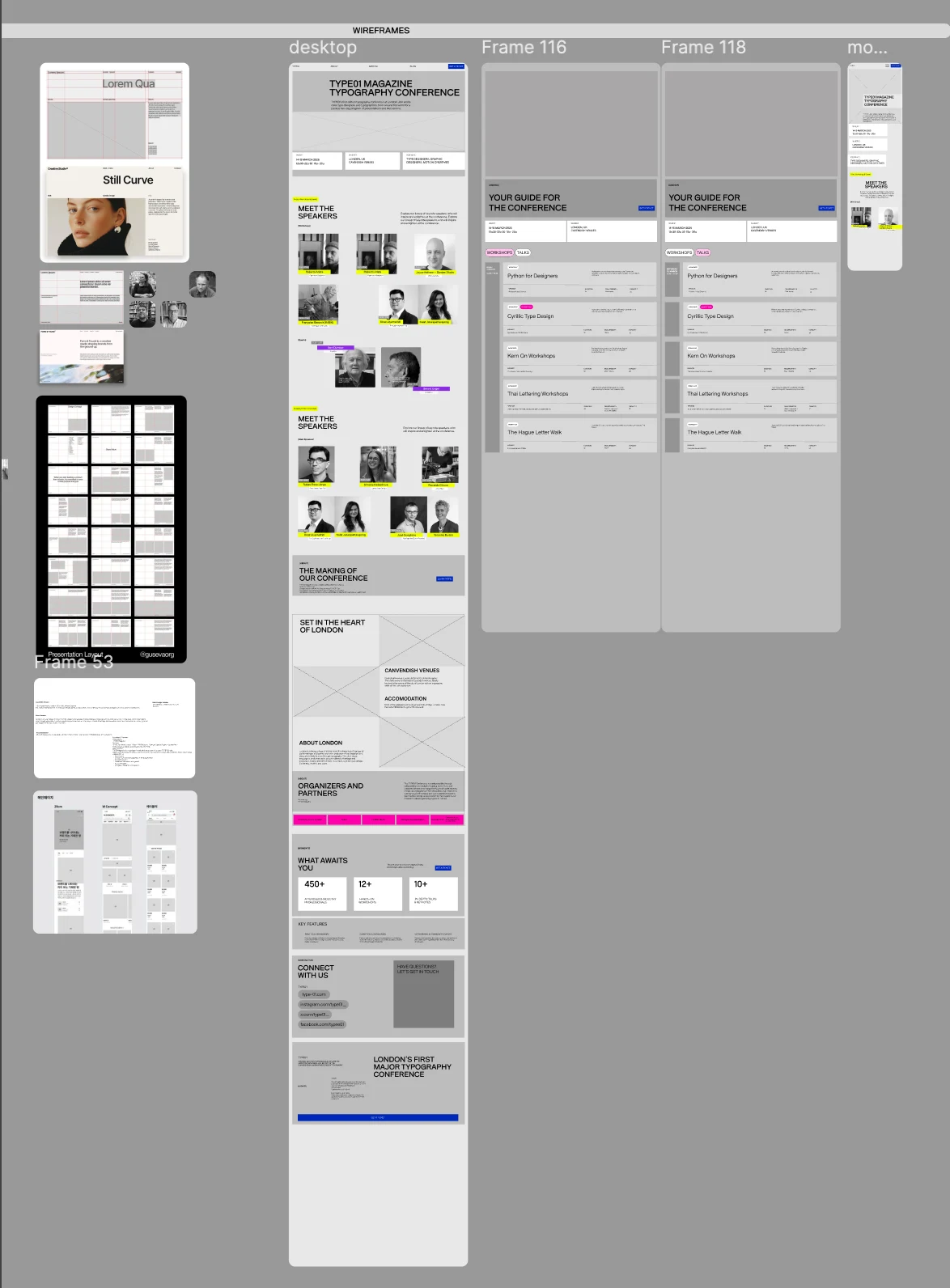
Exploration & wireframing
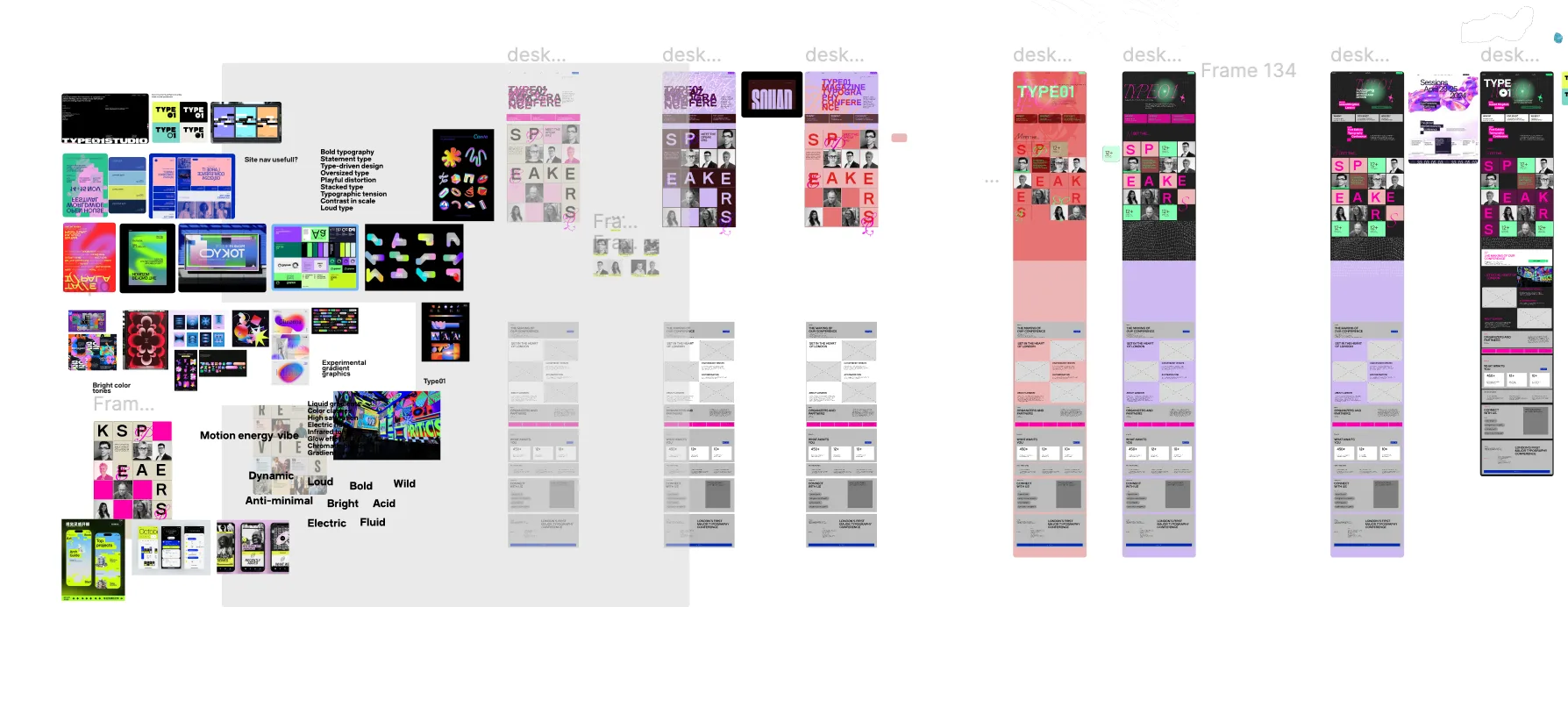
I started wide: a moodboard full of bold typography, bright colour and experimental gradients, with keywords like loud, acid, electric and anti-minimal.
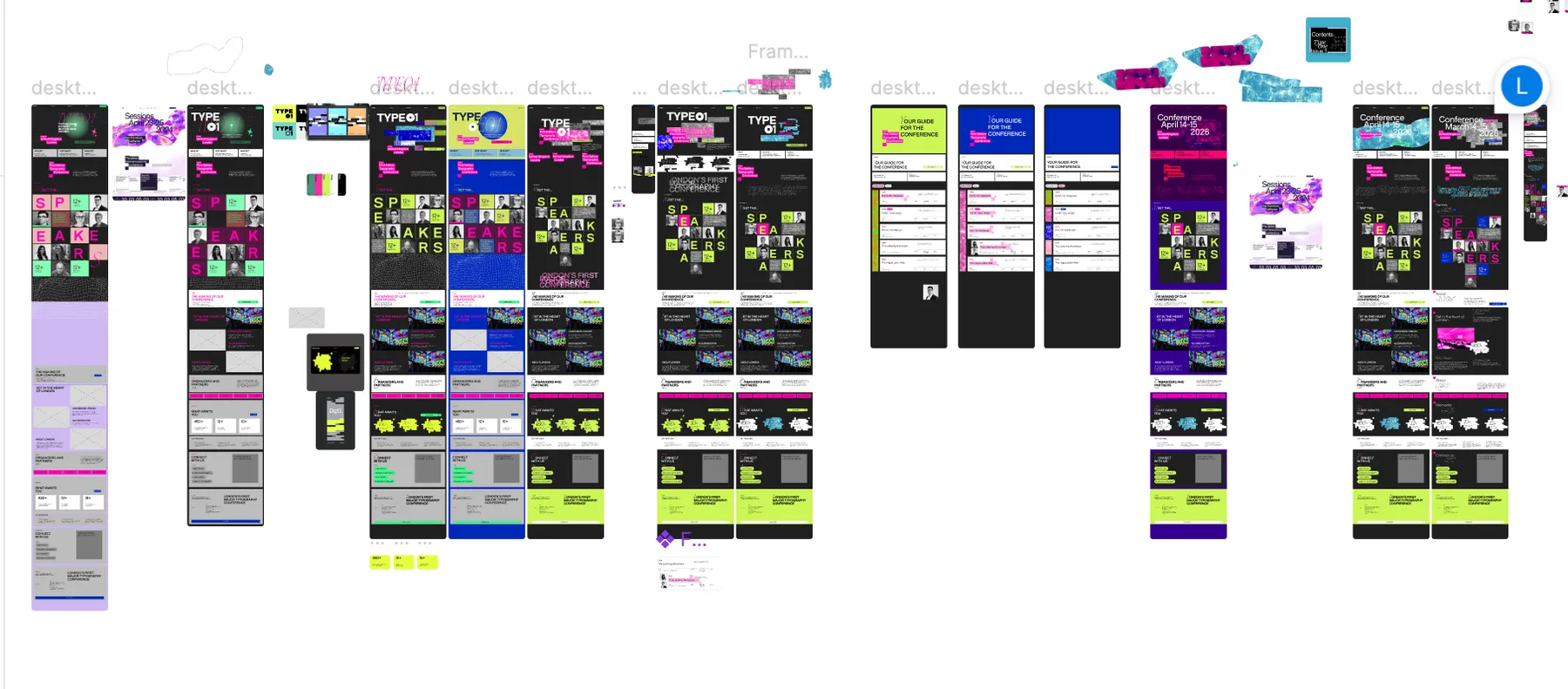
From there I explored round after round of homepage directions in Figma, testing colour combinations and pushing the big SPEAKERS letter grid until it felt as loud as the magazine. In parallel I wireframed the structure for desktop and mobile, so the bold look always sat on a clear layout.
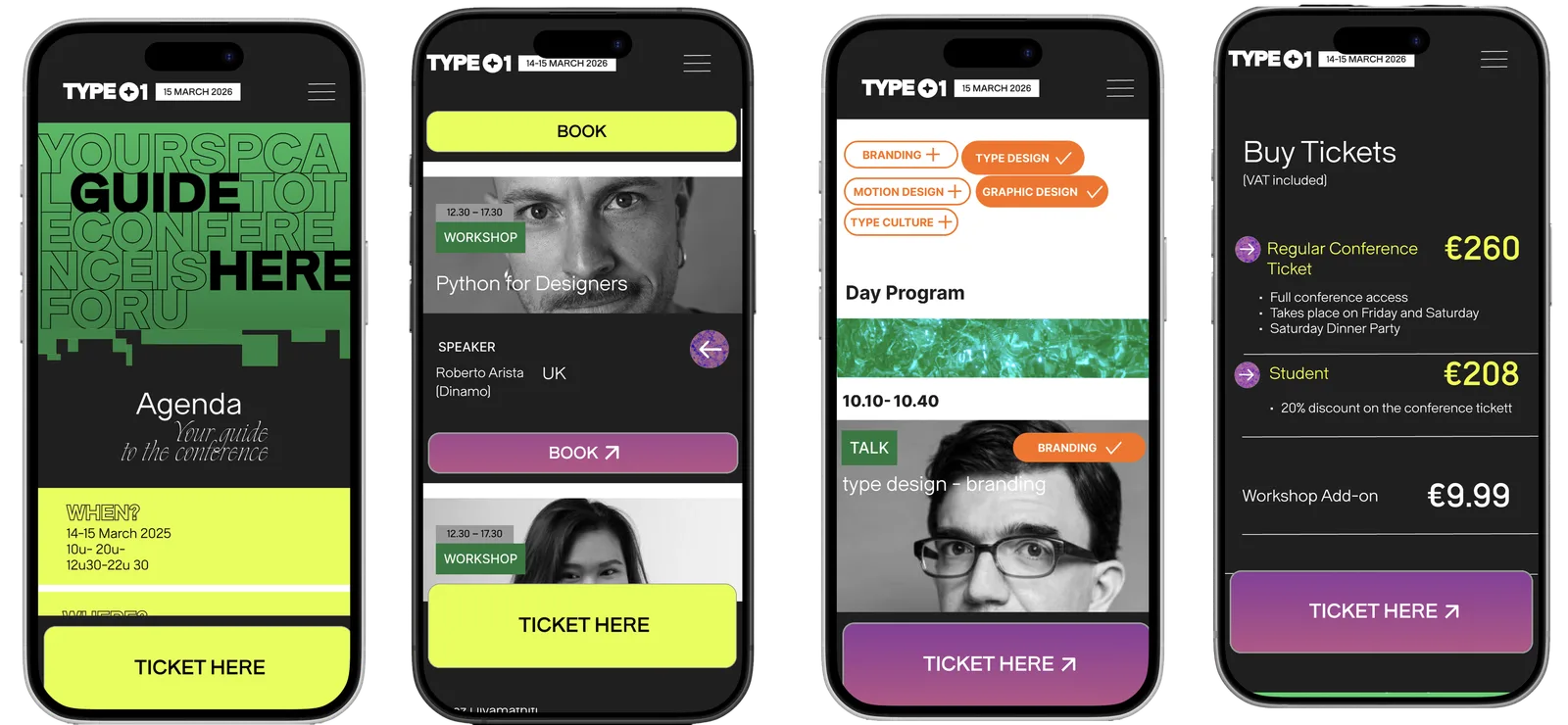
Mobile: speed and clarity
Designers on their phone want to act fast, like booking a workshop. The flow goes from a hero with “Get tickets”, through the schedule and workshop booking, to speaker bios and the live stream.
- Full-width layouts that make the most of the small screen.
- Large, thumb-friendly buttons for quick actions like “Buy tickets” or “Watch live”.
- Fixed CTAs at the bottom, so key actions are always one tap away.
- A linear, vertical flow with a clear hierarchy, so nobody gets lost.
- Date filtering in the navigation: tap between Friday workshops and Saturday talks, with a clear active state.
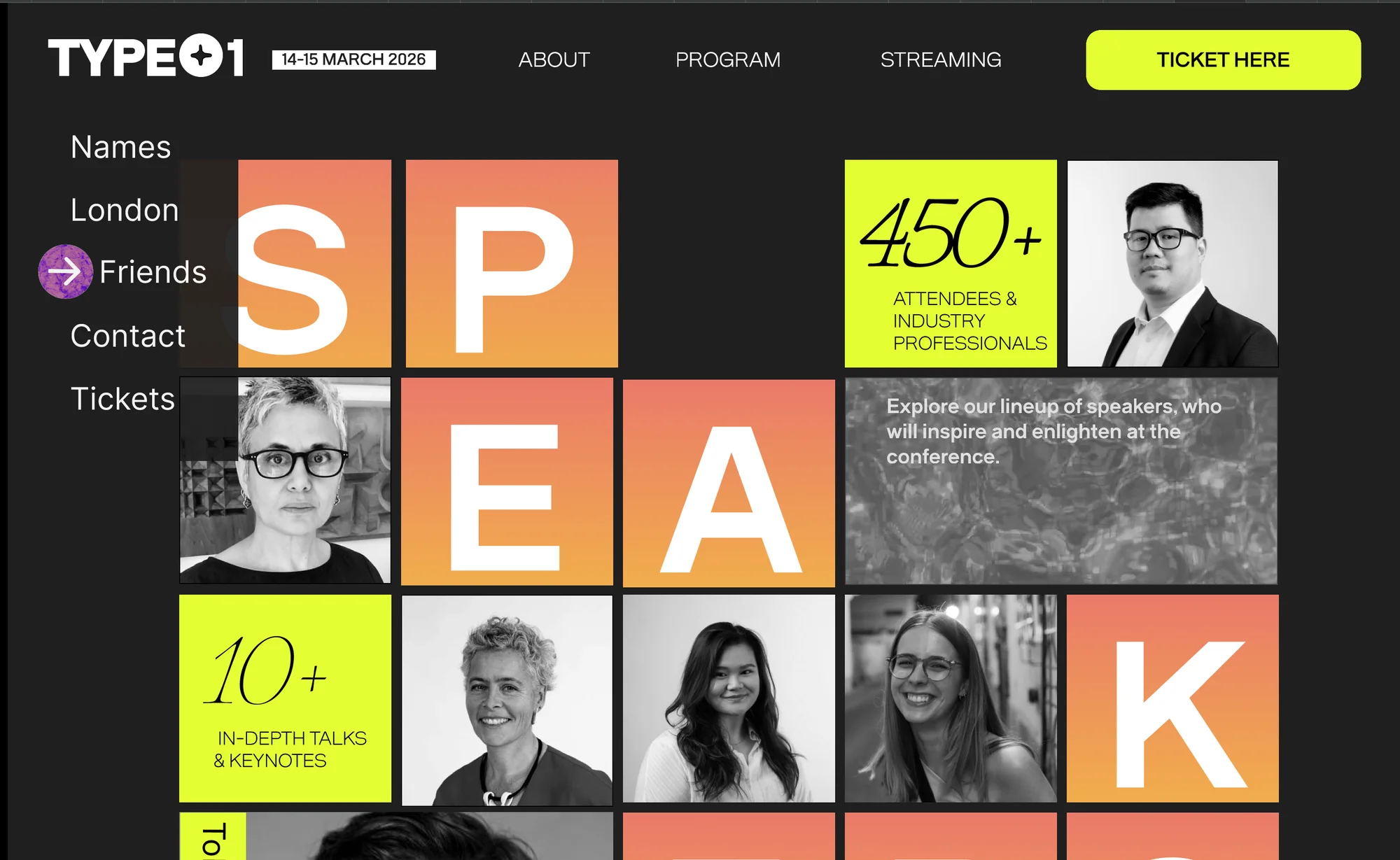
Desktop: room to explore
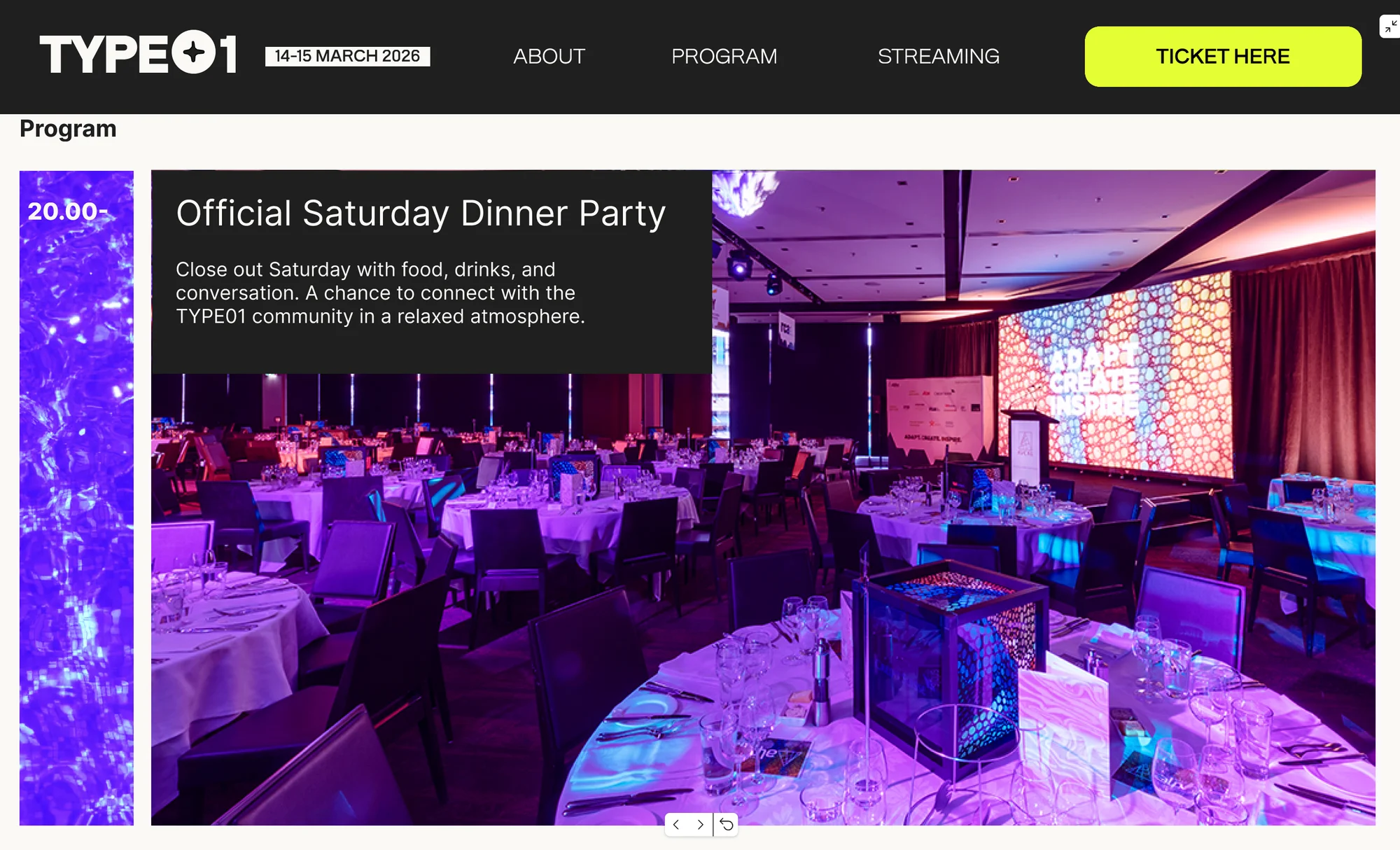
On desktop there’s room to compare schedules, browse speakers and dive into the details.
- Multi-column grids: schedules side by side, speakers at a glance.
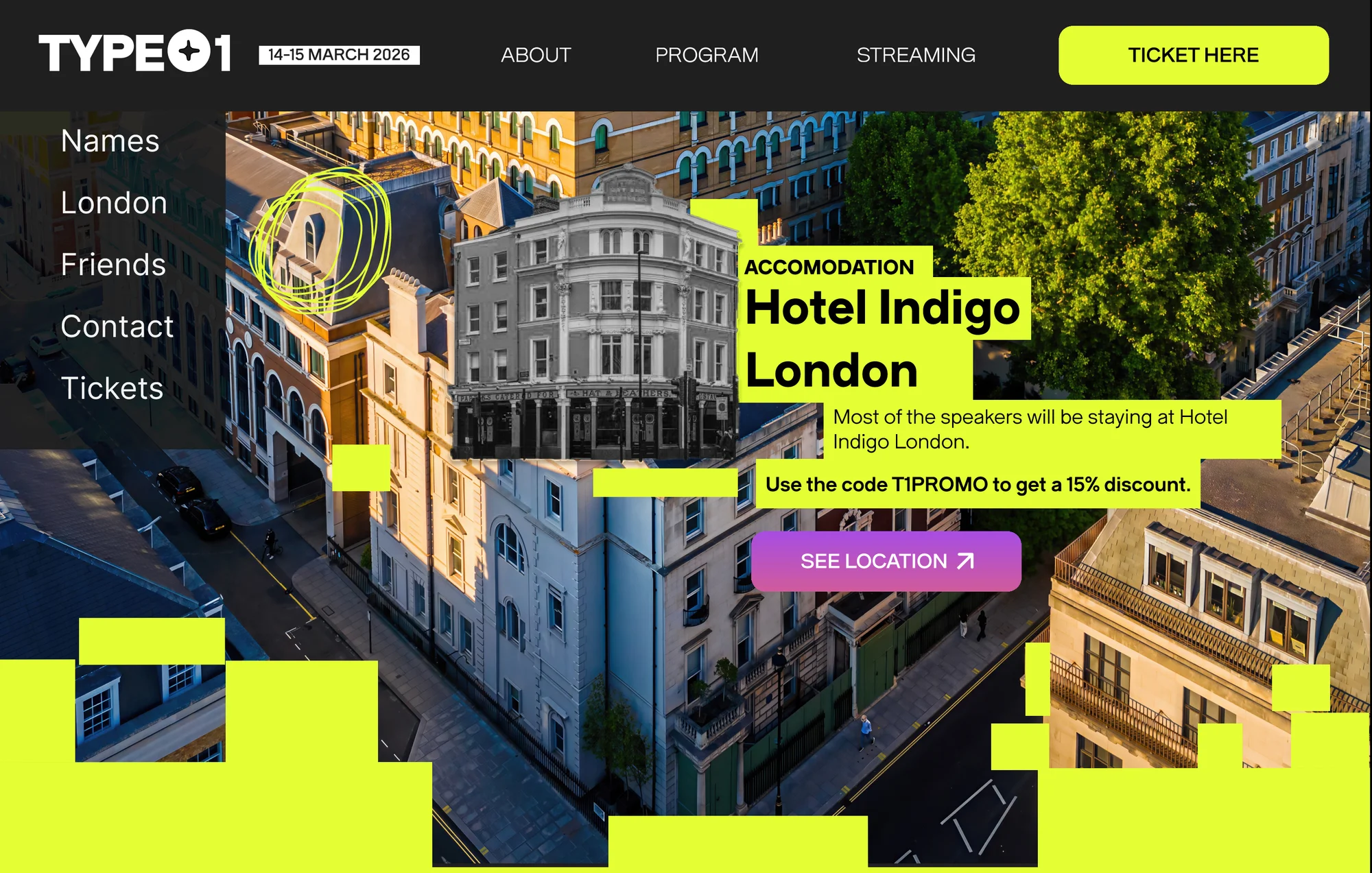
- Asymmetric, expressive layouts that use the wide canvas, interesting but never overwhelming.
- Typography at full scale: bigger and more experimental, so the type becomes a showcase.
- Hover interactions: subtle animations on speaker cards that mobile can’t offer.
- Multiple entry points and a fixed navigation: start from the speakers or explore freely, with plenty of ticket CTAs along the way.
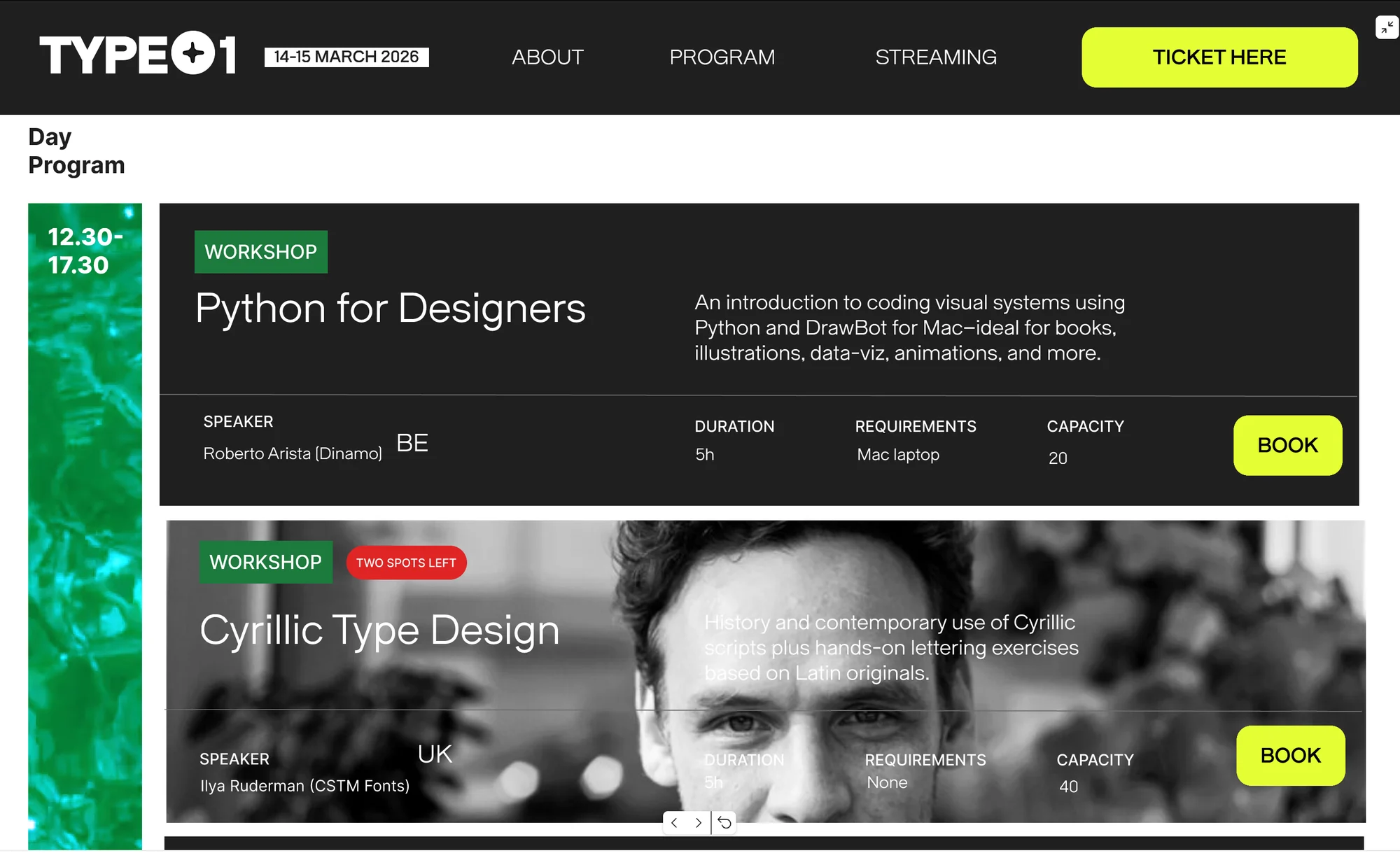
Mobile vs desktop
The same content, designed for two different moments:
- Mobile = speed and clarity: one column, a vertical flow and fixed CTAs for immediate action.
- Desktop = exploration and expression: multi-column grids for comparing, asymmetric layouts and typography at full scale.
Reflection
What I learned: Designing for mobile and desktop isn’t about squeezing the same layout onto a smaller screen. Both have a very different purpose: on a phone, visitors want to find the programme or buy a ticket quickly, while on desktop there’s room to explore and to let the bold typography do the talking. So each one needs its own design decisions, not just the main layout principles carried over.